
articles
CinemaScope™ HDHT - Part 2
The following article is the latest in the CinemaScope™ series by Rodolfo La Maestra. Other articles in this series are as follows:
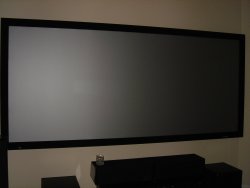
First of all, forgive me for not been able to produce these articles as often as I had planned, I am very occupied with the annual report about HDTV Technology that I produce every year (for 5 years already) at this time and that has priority, but I will try to keep the momentum of these articles as warm as possible. The CinemaScope™ Project As I mentioned on the first article, I decided to launch this CinemaScope™ project at my own cost and with my own design and equipment selection, to been able to publish a series of articles for the readership of our magazine, and to show consumers that this concept of a high-definition home-theater (HDHT) CinemaScope™ is economically affordable, technically possible, and could certainly be attractive to many 2.35:1 movie viewers. Having completed the electronic and optical stages of the system in a dedicated room with controlled lighting, I can tell that the CinemaScope™ experience is breathtaking. Building this system was a challenge, but it was worth every penny and every minute invested on it. The project is not about beautifying a home theater, it is about what is possible with quality electronics and optics to optimize the viewing of wide-screen content and to recreate the CinemaScope™ feeling of the classical theater. It was also about simulating the steps a regular consumer would have to follow to make a similar project for their homes. Regardless if I was capable to install, connect, calibrate, etc., I decided to hire out the necessary labor for each task, rather than shaving costs by doing the job myself. The value of the project to readers was for me to do exactly what a regular consumer would have to do. Due to the fact that I intended to live with the system after it was finished, I designed the system and selected all the components myself. A consumer without such knowledge should expect the dealer/installer of the system to take that role.
 The Projector Took the Driver Seat
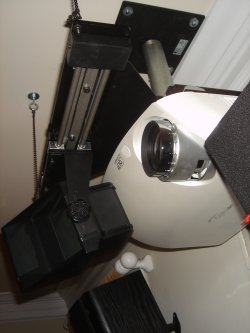
As you might know already, front-projector manufacturers are doing partnerships with manufacturers of other CinemaScope™ components, such as anamorphic lens, transports, plates, etc. They have improved their compatibility, and they are easier to install because they are made with specifications to fit with each other. They are sold by projector manufacturers as CinemaScope™ system packages, which make the whole project considerably smoother and cheaper to the consumer, particularly in labor costs. Not to mention the risks one would run by choosing components based on their individual merits that might end up not fitting as smoothly with each other.
This year we will see a growing number of manufacturers offering CinemaScope™ lens/transport package solutions bundled with projectors, and offering the lens/plate/transport in a separate package deal for those consumers that have a projector already.
Other Aspect Ratios Displayed on a 2.35:1 Screen
As I mentioned in the first article, the CinemaScope™ approach I am covering on these articles is not about simply zooming and/or masking 2.35:1 images on a screen. Is about implementing a 2.35:1 screen for predominantly 2.35:1 viewing while maximizing the capabilities of the projector's chip-resolution and light-output. That requires more than just a 2.35:1 screen, it requires as a vertical stretch capable scaler, anamorphic lens, lens transport, transport plate, etc.
Images on aspect ratios that are less wide (16:9, 4:3, for example) would have to be displayed without the anamorphic lens in front of the projector lens, and with side pillars on the wider 2.35:1 screen, but aligned with the top/bottom edges of the screen (reason by which it is called "constant height"). That is, if the original aspect ratio of the incoming image needs not to be altered. Additionally, pillar side-bar masking might be necessary for some viewers that can not tolerate "projected" black pillar bars, which are not as black as good masking material.
The approach could mean that the overall area occupied by a smaller 16:9 image within the 2.35:1 screen could end up unacceptably small to some viewers, compared to a 16:9 screen installation for predominantly 16:9 TV viewing occupying the same width of the 2.35:1 screen approach. Not to mention the further reduced visual impact of 4:3 images that would look even smaller when implemented in constant height 2.35:1 screen.
Limited Wall Width
With that in mind, whether the screen is mounted on a wall or coming from the ceiling, if the front viewing area is limited in width, a 2.35:1 screen could be seen as a step backwards regarding overall image size impact for viewers that seldom watch 2.35:1 content. Therefore, one has to decide very carefully what is the primary purpose of the home theater. If the purpose is to mainly watch TV in 4:3 or 16:9 formats and occasionally view a 2.35:1 movie, then the CinemaScope™ concept with 2.35:1 screens might not be as appealing as it would be to a 2.35:1 wide-screen movie fan that would not watch TV or smaller aspect ratios as often, or at all, on the home theater.
The Projector Took the Driver Seat
As you might know already, front-projector manufacturers are doing partnerships with manufacturers of other CinemaScope™ components, such as anamorphic lens, transports, plates, etc. They have improved their compatibility, and they are easier to install because they are made with specifications to fit with each other. They are sold by projector manufacturers as CinemaScope™ system packages, which make the whole project considerably smoother and cheaper to the consumer, particularly in labor costs. Not to mention the risks one would run by choosing components based on their individual merits that might end up not fitting as smoothly with each other.
This year we will see a growing number of manufacturers offering CinemaScope™ lens/transport package solutions bundled with projectors, and offering the lens/plate/transport in a separate package deal for those consumers that have a projector already.
Other Aspect Ratios Displayed on a 2.35:1 Screen
As I mentioned in the first article, the CinemaScope™ approach I am covering on these articles is not about simply zooming and/or masking 2.35:1 images on a screen. Is about implementing a 2.35:1 screen for predominantly 2.35:1 viewing while maximizing the capabilities of the projector's chip-resolution and light-output. That requires more than just a 2.35:1 screen, it requires as a vertical stretch capable scaler, anamorphic lens, lens transport, transport plate, etc.
Images on aspect ratios that are less wide (16:9, 4:3, for example) would have to be displayed without the anamorphic lens in front of the projector lens, and with side pillars on the wider 2.35:1 screen, but aligned with the top/bottom edges of the screen (reason by which it is called "constant height"). That is, if the original aspect ratio of the incoming image needs not to be altered. Additionally, pillar side-bar masking might be necessary for some viewers that can not tolerate "projected" black pillar bars, which are not as black as good masking material.
The approach could mean that the overall area occupied by a smaller 16:9 image within the 2.35:1 screen could end up unacceptably small to some viewers, compared to a 16:9 screen installation for predominantly 16:9 TV viewing occupying the same width of the 2.35:1 screen approach. Not to mention the further reduced visual impact of 4:3 images that would look even smaller when implemented in constant height 2.35:1 screen.
Limited Wall Width
With that in mind, whether the screen is mounted on a wall or coming from the ceiling, if the front viewing area is limited in width, a 2.35:1 screen could be seen as a step backwards regarding overall image size impact for viewers that seldom watch 2.35:1 content. Therefore, one has to decide very carefully what is the primary purpose of the home theater. If the purpose is to mainly watch TV in 4:3 or 16:9 formats and occasionally view a 2.35:1 movie, then the CinemaScope™ concept with 2.35:1 screens might not be as appealing as it would be to a 2.35:1 wide-screen movie fan that would not watch TV or smaller aspect ratios as often, or at all, on the home theater.
 Butchering Aspect Ratio
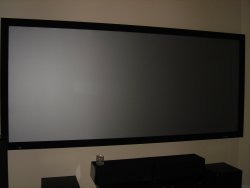
Many movie directors do not take lightly when anyone geometrically alters the original aspect ratio (OAR) of their piece of art to fit the image into a display device with different aspect ratio. Aspect ratio is part of the artistic creation and should be respected as is. Some HD movie channels alter (butcher) the original aspect ratio of wide-screen movies to make them fit within the 16:9 frame so they are displayed without letterbox bars. The content distributor thinks that people do not like to see bars, and actually many consumers purchased 16:9 screens under the impression that they would finally get rid of the hatred black bars on their 4:3 sets when viewing 16:9 content. The content distributors were not to far off in that thinking process "for the general mass of TV viewers", but they ignored the OAR loving public.
2.35:1 wide-screen movie content displayed on a 16:9 screen would display with a similar letterbox bar effect of the 16:9 content on the old 4:3 TV set. The approach wastes about 30% of the vertical resolution of the display device used for projecting just black dots, and the projected dots are generally not absolute black when they hit the screen. So how could we use that wasted vertical resolution capability for an image that rather needs it horizontally because is proportionally wider?
Putting All the Resolution Pixels to Good Use
A CinemaScope™ system could put those vertical pixels to work electronically with a capable scaler, it would stretch the image vertically, everyone would look thin, it would be ideal that someone later in the system path makes them normal again. This is where the anamorphic lens fits into place in the system. When placed in front of the projector lens it produces a similar stretch but now in the horizontal direction, and with optics. Both steps are needed, making first the image taller electronically with a scaler and later wider optically with the anamorphic lens. The combined effect of both actions produce an image that is larger but proportional to the original image when it was sandwiched between the black bars, maintaining the exact same aspect ratio as the original 2.35:1 source.
How Could We Use the System?
Many HD movie channels and even broadcast HD movies distribute 2.35:1 movies as they are, with top/bottom bars sandwiched within the 16:9 aspect ratio of the HD signal to maintain the original geometry of the content. Such wide-screen content could certainly display well in a CinemaScope™ capable home theater, the scaler and the anamorphic lens would do their job with that content as well, in other words, this is not about wide-screen [HiDef]DVDs pre-recorded movies only.
Does Resolution Matter in CinemaScope?
Having a 1080p projector rather than a lower resolution projector always helps on larger screens, but a 720p projector could also be used to implement CinemaScope™. However, a 720p image barely has 1 million pixels of spatial resolution (720x1280= 921,600 pixels) displayed on each frame of content, while a 1080p projector more than doubles that (1080x1920=2,073,600 pixels). Regardless of the frame rate and the original resolution of the content, the above will be the spatial resolution outputted by the projector's chip.
If the primary purpose of a HT is to show CinemaScope™ movies, the spatial resolution factor is more important than the classical benefits of the faster temporal resolution of the 720p format, 60fps frame rate are well suited to fast sports, such as ESPN HD, but the horizontal line has only 1280 pixels, rather than 1920.
A non-1080p resolution projector could still do a decent job as long as the increased width of the horizontally larger screen (for an image that is horizontally expanded by the anamorphic lens) is not pushed beyond reasonable limits. Going too large might negatively affect the image quality for the particular viewing distance.
There are many more areas of discussion in the resolution subject, such as the ability to handle 24fps 1080p content originating from film stored in HD DVD and Blu-ray. There are projectors that are capable to accept 1080p at 24fps and can display it at multiples of that frame rate, without doing 2:3 pull-down to go to the 60i interlaced world to later de-interlace it to 60p. One should always avoid any unnecessary video processing and conversions to let the scaler to do its CinemaScope™ vertical stretch with a signal as clean as possible to avoid compound artifacts.
2.35:1 Screens, How People Use Them
1080p projectors are now available in good variety, as well as good quality anamorphic lenses/transports; scalers with vertical stretch ability for constant height installation are also available, all relatively affordable. 2.35:1 movie fans might see an opportunity to jump out of the 16:9 HD aspect ratio bandwagon and into the 2.35:1 CinemaScope™ style, to watch their movies on a screen with the same aspect ratio as the movie.
However, installing a 2.35:1 screen is only part of the solution, as we discussed earlier, a scaler has to stretch the image vertically to get rid of the top/bottom black bars and let the projector's chip use its full vertical resolution (1080 or 720), which means more projected light from 30% more pixels, then the anamorphic lens stretches the image horizontally.
Not doing the full combination of the steps above, and performing only manual adjustments like zooming, refocusing, masking, to push the top/bottom letterbox bars out of the 2.35:1 screen frame, even if they are covered with masking material, potentially looses precious projector chip resolution and light output. That approach is used by many home theater enthusiasts and is not within the scope of these articles. There is a cost/benefit on each solution, each person has to decide what is the best solution for their particular installation, quality, flexibility, easy of operation, and pocket. In theory they both need a capable projector and a 2.35:1 screen to start with, those two pieces could be reused when moving from one approach to the other.
Butchering Aspect Ratio
Many movie directors do not take lightly when anyone geometrically alters the original aspect ratio (OAR) of their piece of art to fit the image into a display device with different aspect ratio. Aspect ratio is part of the artistic creation and should be respected as is. Some HD movie channels alter (butcher) the original aspect ratio of wide-screen movies to make them fit within the 16:9 frame so they are displayed without letterbox bars. The content distributor thinks that people do not like to see bars, and actually many consumers purchased 16:9 screens under the impression that they would finally get rid of the hatred black bars on their 4:3 sets when viewing 16:9 content. The content distributors were not to far off in that thinking process "for the general mass of TV viewers", but they ignored the OAR loving public.
2.35:1 wide-screen movie content displayed on a 16:9 screen would display with a similar letterbox bar effect of the 16:9 content on the old 4:3 TV set. The approach wastes about 30% of the vertical resolution of the display device used for projecting just black dots, and the projected dots are generally not absolute black when they hit the screen. So how could we use that wasted vertical resolution capability for an image that rather needs it horizontally because is proportionally wider?
Putting All the Resolution Pixels to Good Use
A CinemaScope™ system could put those vertical pixels to work electronically with a capable scaler, it would stretch the image vertically, everyone would look thin, it would be ideal that someone later in the system path makes them normal again. This is where the anamorphic lens fits into place in the system. When placed in front of the projector lens it produces a similar stretch but now in the horizontal direction, and with optics. Both steps are needed, making first the image taller electronically with a scaler and later wider optically with the anamorphic lens. The combined effect of both actions produce an image that is larger but proportional to the original image when it was sandwiched between the black bars, maintaining the exact same aspect ratio as the original 2.35:1 source.
How Could We Use the System?
Many HD movie channels and even broadcast HD movies distribute 2.35:1 movies as they are, with top/bottom bars sandwiched within the 16:9 aspect ratio of the HD signal to maintain the original geometry of the content. Such wide-screen content could certainly display well in a CinemaScope™ capable home theater, the scaler and the anamorphic lens would do their job with that content as well, in other words, this is not about wide-screen [HiDef]DVDs pre-recorded movies only.
Does Resolution Matter in CinemaScope?
Having a 1080p projector rather than a lower resolution projector always helps on larger screens, but a 720p projector could also be used to implement CinemaScope™. However, a 720p image barely has 1 million pixels of spatial resolution (720x1280= 921,600 pixels) displayed on each frame of content, while a 1080p projector more than doubles that (1080x1920=2,073,600 pixels). Regardless of the frame rate and the original resolution of the content, the above will be the spatial resolution outputted by the projector's chip.
If the primary purpose of a HT is to show CinemaScope™ movies, the spatial resolution factor is more important than the classical benefits of the faster temporal resolution of the 720p format, 60fps frame rate are well suited to fast sports, such as ESPN HD, but the horizontal line has only 1280 pixels, rather than 1920.
A non-1080p resolution projector could still do a decent job as long as the increased width of the horizontally larger screen (for an image that is horizontally expanded by the anamorphic lens) is not pushed beyond reasonable limits. Going too large might negatively affect the image quality for the particular viewing distance.
There are many more areas of discussion in the resolution subject, such as the ability to handle 24fps 1080p content originating from film stored in HD DVD and Blu-ray. There are projectors that are capable to accept 1080p at 24fps and can display it at multiples of that frame rate, without doing 2:3 pull-down to go to the 60i interlaced world to later de-interlace it to 60p. One should always avoid any unnecessary video processing and conversions to let the scaler to do its CinemaScope™ vertical stretch with a signal as clean as possible to avoid compound artifacts.
2.35:1 Screens, How People Use Them
1080p projectors are now available in good variety, as well as good quality anamorphic lenses/transports; scalers with vertical stretch ability for constant height installation are also available, all relatively affordable. 2.35:1 movie fans might see an opportunity to jump out of the 16:9 HD aspect ratio bandwagon and into the 2.35:1 CinemaScope™ style, to watch their movies on a screen with the same aspect ratio as the movie.
However, installing a 2.35:1 screen is only part of the solution, as we discussed earlier, a scaler has to stretch the image vertically to get rid of the top/bottom black bars and let the projector's chip use its full vertical resolution (1080 or 720), which means more projected light from 30% more pixels, then the anamorphic lens stretches the image horizontally.
Not doing the full combination of the steps above, and performing only manual adjustments like zooming, refocusing, masking, to push the top/bottom letterbox bars out of the 2.35:1 screen frame, even if they are covered with masking material, potentially looses precious projector chip resolution and light output. That approach is used by many home theater enthusiasts and is not within the scope of these articles. There is a cost/benefit on each solution, each person has to decide what is the best solution for their particular installation, quality, flexibility, easy of operation, and pocket. In theory they both need a capable projector and a 2.35:1 screen to start with, those two pieces could be reused when moving from one approach to the other.
 The Perfect Storm Team
I would like to thank all the companies that participated on this CinemaScope™ project for their collaboration and personal efforts:
Wing Chung, Director of Project Engineering, Optoma (DLP projector/scaler)
Shawn Kelly, President Panamorph (anamorphic lens, mounting plate)
Bob Yellin, President Z-bott LLC (anamorphic lens transport)
Don Newquist, Principal HTIQ (masking/curtains HT system)
Mark Haflich, Owner Soundworks (projector, screen, etc. dealer/installer)
Chuck Williams, ISF calibrator
Jose Granados, Owner Granados Co., (installation masking/curtains rail system)
When we started a couple of months ago, some of the products were still in a prototype stage or just released, and the installation and calibration efforts required creativity, breaking new ground to make things work. But we all capitalized from this learning experience in one way or another.
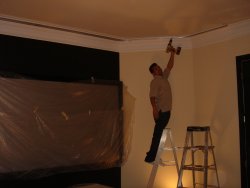
Regarding the installation in particular, I would like to thank Mark Haflich, owner of Soundworks in Kensington MD, for his valuable support and the professional dedication of his installation crew, who worked several days until very late and with whom I had the pleasure to share many inventive moments, as well as the nightmares, and the satisfaction of seeing some pieces fit under the powers of creativity, often without the benefit of instruction manuals or suitable installation hardware.
Shawn (Panamorph) and Wing (Optoma) have both been excellent team experts that facilitated their insider knowledge for the optimal harmonization of products, even those that their companies did not have in production yet.
I am still working with the final HT phases with Don (htiq, home theater electric masking/curtains, etc), regarding the pillar masking and motorized curtains for 4:3 and 16:9 viewing in the constant height system. He has been an excellent collaborator in making my curtain/masking system design possible. His expert advice in that area of the project has been very valuable.
It is important to note that I am not doing curtains and masking just to beautify the HT installation, but to primarily improve the perception of the image by the eyes. Image quality was and still is one of the main drivers of this project.
What is Next
In the next installments I will cover each of the areas about the projector, lens, transport, plate, procurement, installation, calibration, masking system, etc. CinemaScope™ at the consumer's home is warming up very quickly in 2007. It is possible, affordable, and breathtaking, and we could do a great service to our readers by providing them with a real case scenario to successfully repeat at their home.
Stay tuned for Part 3
The Perfect Storm Team
I would like to thank all the companies that participated on this CinemaScope™ project for their collaboration and personal efforts:
Wing Chung, Director of Project Engineering, Optoma (DLP projector/scaler)
Shawn Kelly, President Panamorph (anamorphic lens, mounting plate)
Bob Yellin, President Z-bott LLC (anamorphic lens transport)
Don Newquist, Principal HTIQ (masking/curtains HT system)
Mark Haflich, Owner Soundworks (projector, screen, etc. dealer/installer)
Chuck Williams, ISF calibrator
Jose Granados, Owner Granados Co., (installation masking/curtains rail system)
When we started a couple of months ago, some of the products were still in a prototype stage or just released, and the installation and calibration efforts required creativity, breaking new ground to make things work. But we all capitalized from this learning experience in one way or another.
Regarding the installation in particular, I would like to thank Mark Haflich, owner of Soundworks in Kensington MD, for his valuable support and the professional dedication of his installation crew, who worked several days until very late and with whom I had the pleasure to share many inventive moments, as well as the nightmares, and the satisfaction of seeing some pieces fit under the powers of creativity, often without the benefit of instruction manuals or suitable installation hardware.
Shawn (Panamorph) and Wing (Optoma) have both been excellent team experts that facilitated their insider knowledge for the optimal harmonization of products, even those that their companies did not have in production yet.
I am still working with the final HT phases with Don (htiq, home theater electric masking/curtains, etc), regarding the pillar masking and motorized curtains for 4:3 and 16:9 viewing in the constant height system. He has been an excellent collaborator in making my curtain/masking system design possible. His expert advice in that area of the project has been very valuable.
It is important to note that I am not doing curtains and masking just to beautify the HT installation, but to primarily improve the perception of the image by the eyes. Image quality was and still is one of the main drivers of this project.
What is Next
In the next installments I will cover each of the areas about the projector, lens, transport, plate, procurement, installation, calibration, masking system, etc. CinemaScope™ at the consumer's home is warming up very quickly in 2007. It is possible, affordable, and breathtaking, and we could do a great service to our readers by providing them with a real case scenario to successfully repeat at their home.
Stay tuned for Part 3